Creating Your Account
Sign Up
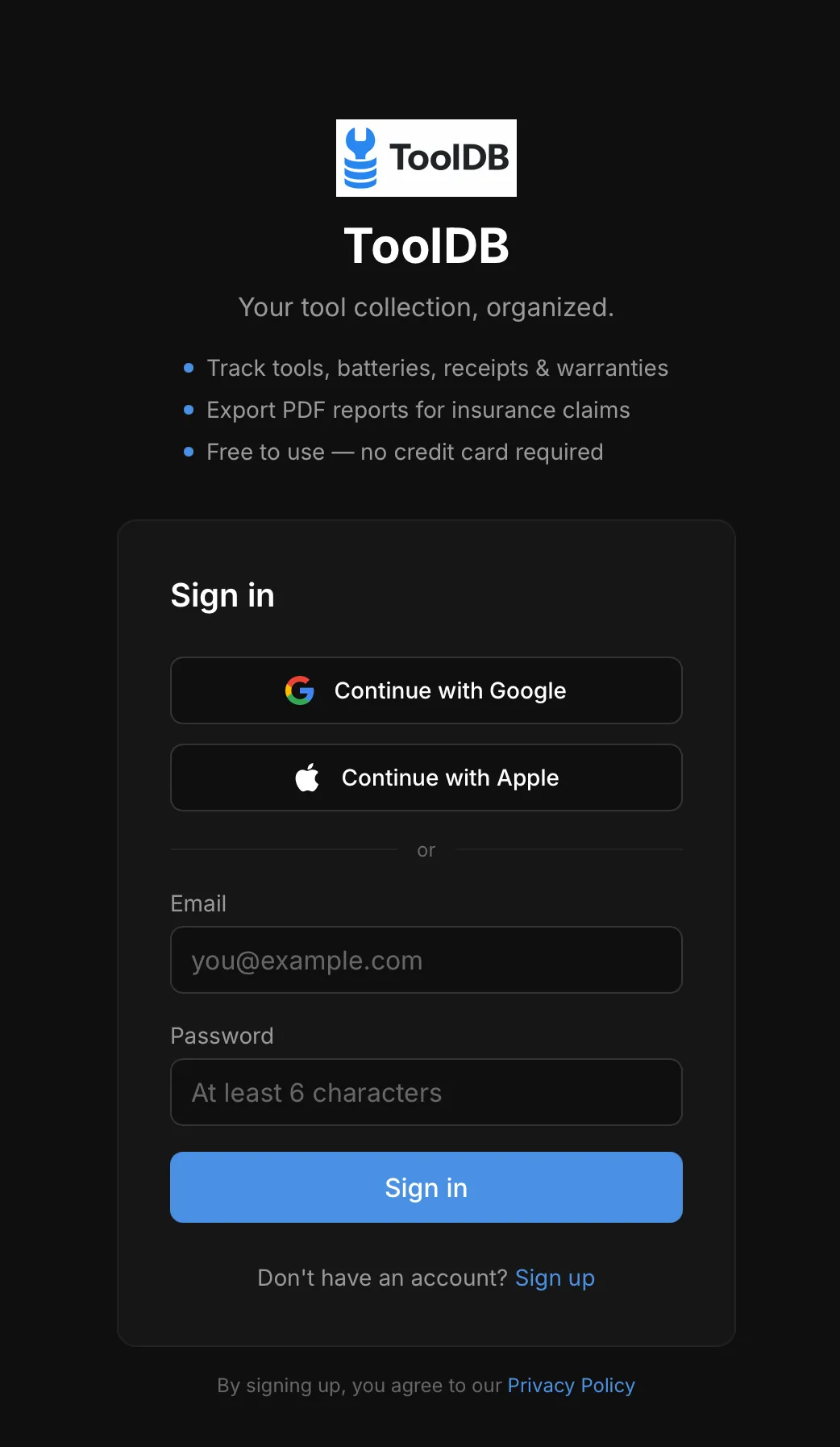
Section titled “Sign Up”Go to tooldb.app and create an account. You can sign in with Google, Apple, or email.
Google or Apple Sign-In
Section titled “Google or Apple Sign-In”Tap Continue with Google or Continue with Apple to sign in instantly. This is the fastest option, especially on mobile.
Email & Password
Section titled “Email & Password”Enter your email address and choose a password (minimum 6 characters). You’ll receive a confirmation email — click the link to activate your account.
Adding to Your Home Screen
Section titled “Adding to Your Home Screen”ToolDB works as a web app that feels native on your phone.
On iPhone (Safari): Open tooldb.app, tap the Share button, then tap “Add to Home Screen.”
On Android (Chrome): Open tooldb.app in Chrome. Tap the menu (⋮) and select “Add to Home Screen” or “Install App.”
Once added, ToolDB launches full screen like a native app.
Settings
Section titled “Settings”After signing in, visit Settings to:
- Switch between dark and light mode
- Configure warranty expiration alerts
- Change your password